
Free
From anywhere in the app
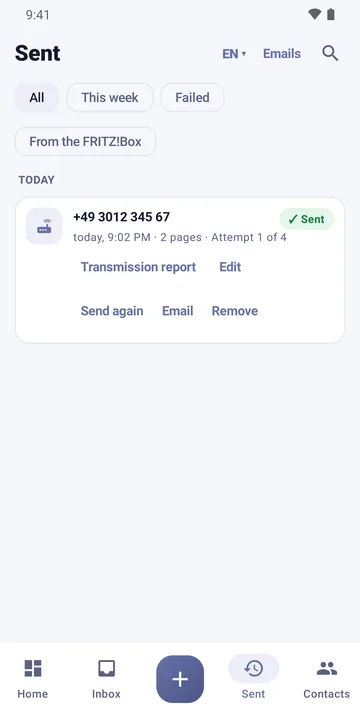
From the inbox, the fax view, “Sent” (fax plus transmission report) or straight from “Send fax”. The home screen shows the history – including anything that could not be sent.
Fritten&Fax for Android · The work tool
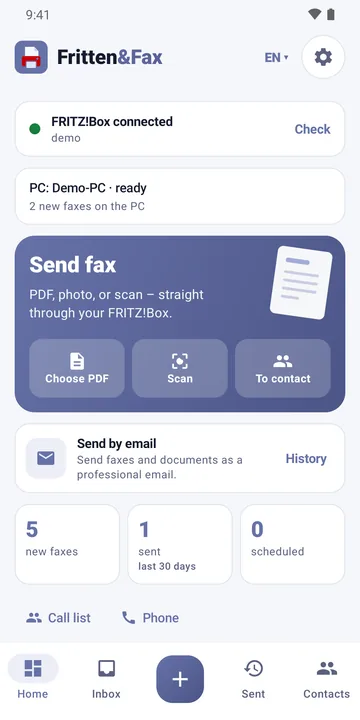
Photograph the delivery note, fax it, done: Fritten&Fax turns your Android phone into a fax machine – through the FRITZ!Box or a SIP number. Paired with the PC, your phone shows the PC’s fax inbox on the go too.

Or download the APK directly →
Send
Scan, check, send – Fritten&Fax guides you through every step and reliably reports whether the fax has arrived.
Via your FRITZ!Box’s CAPI interface on your home network – or via SIP, as an IP phone in the FRITZ!Box or directly with your provider. With the “Without FRITZ!Box (SIP provider)” setup, you fax with no box at all.
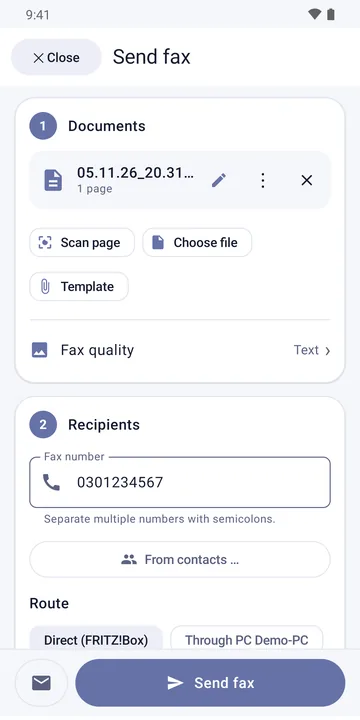
The document scanner detects the page and turns several pages into one PDF. For tricky originals there’s “Straight A4 (photo)” – a photo without edge detection.
Cover page with logo, company block and footer, long messages on continuation pages. After sending, the report is ready as a PDF – with result, duration and remote station.
Receive
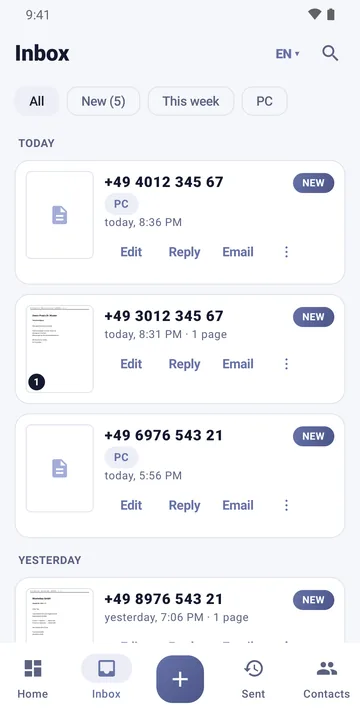
Even in Free you see the faxes from your FRITZ!Box’s storage – with preview and notification. With Pro, the phone answers faxes itself.
The faxes from the FRITZ!Box’s storage appear with a thumbnail, grouped by day and searchable by name and number. Reply, forward or share – straight from the list.
With Pro, Fritten&Fax answers faxes to your number itself – on your home Wi-Fi via CAPI or via SIP, on the mobile network too if you like. Text recognition runs on the phone.
Not every recipient has a fax machine. Fritten&Fax also sends faxes, scans and PDFs as an e-mail – neatly laid out, with your signature and, if you like, password protection.
From the inbox, the fax view, “Sent” (fax plus transmission report) or straight from “Send fax”. The home screen shows the history – including anything that could not be sent.
Several recipients with each address checked, suggestions from recently used addresses, subject and text from templates, your own signature. View, rename and remove attachments.
Combine several documents into one PDF, reduce the file size and protect it with a password (AES-256). The password is neither stored nor sent.
With no setup, via your mail app – or directly via your own mail server: in the background, with retries, scheduled sending and clear feedback on whether the e-mail was accepted.
With the PC
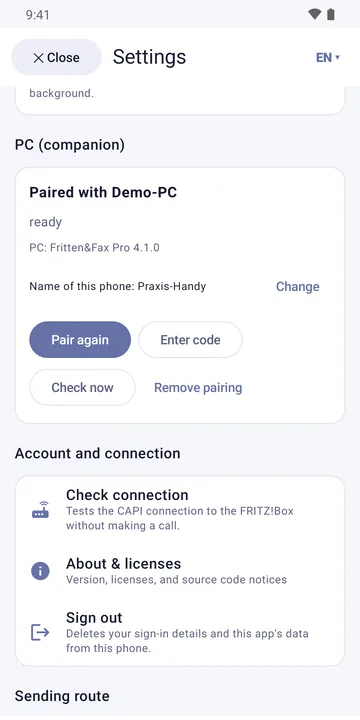
Paired with the PC, the phone becomes the remote control of your fax workstation – in the office and on the go through your FRITZ!Box VPN.
Pair once with a QR code. After that, when sending you choose “Through PC” with the PC’s sender profiles, see the faxes the PC has received, and scan documents straight into the draft on the PC.
Convenience
Small things that save a lot of time – all of them included in Free.
With fingerprint, face or screen lock. Hide content in the app switcher, hide the sender on the lock screen.
Reply, forward, send again or open the report – straight from the notification.
Widget with new faxes and quick buttons, “Scan fax” tile in Quick Settings, with Pro also “Fax reception”.
Long-press the icon: new fax, scan and fax, inbox or straight to a favourite.
Call back from the call list via the FRITZ!Box or SIP – for outgoing calls.
Favourites, recently used, phone contacts with a fax number first, import and export as CSV.
Enter “demo” as the address and try everything safely – with sample faxes and a demo PC.
German, English, French and Spanish – also tested at 200% font size.
Editions
Fritten&Fax for Android is free in the store. You unlock Pro and Business with the same licence key as on the PC – one licence for one user on their PCs and phones.
Sending via FRITZ!Box or SIP, scanning, editing pages, cover page, transmission report, the box’s fax storage, sending by e-mail via your mail app or your own mail server, phone calls, convenience features. With a small ad banner – never while faxing.
Plus built-in fax reception, text recognition, automatic forwarding by e-mail, mail tools, follow-ups, templates, signatures, up to 20 sender profiles and the companion. No ads.
Everything in Pro, plus managed configuration for company phones (MDM): set the licence, FRITZ!Box access, pairing and app lock centrally.
Technical data
| Android | Android 8.0 or later, 64-bit (arm64), phone and tablet |
|---|---|
| Sending routes | FRITZ!Box via CAPI over TCP on the home network (or via VPN); SIP as an IP phone in the FRITZ!Box or directly with your provider |
| Fax protocol | T.30 with V.17 up to 14,400 bit/s (selectable 14,400, 9,600, 4,800), ECM |
| SIP | G.711 over RTP, T.38 over UDPTL with redundancy, TLS and SRTP for G.711 |
| Scanning | Google document scanner (Play services), up to 20 pages; alternatively “Straight A4 (photo)” at 200 dpi |
| Text recognition | On the phone, Latin script (Pro) |
| Companion | Fritten&Fax for Windows 4.1 or later, on the home network or via VPN, AES-256-GCM |
| Languages | German, English, French, Spanish |
| Stores | Google Play and Samsung Galaxy Store; APK for direct installation |
Questions about Android
No. With the “Without FRITZ!Box (SIP provider)” setup, you fax through a provider’s SIP number. The box’s fax storage, call list and phone book are then not available.
Via SIP directly with your provider, yes. For CAPI and the FRITZ!Box fax storage, connect your phone to your box via VPN – for example with our free Router VPN app.
Only in Free: a small banner on the overview screens, never while faxing, in the fax view or in the settings. Pro and Business are ad-free.
Yes. You can also enter the licence key directly in the app; it covers one user on all their phones and PCs. Alternatively, the store offers “Pro for this phone only” and “ad-free” as a one-off purchase – it applies to the phones of your store account, not to the PC.
Enter “demo” as the address. Demo mode shows sample faxes, a call list and a demo PC – nothing is dialled.
Free on Google Play and in the Galaxy Store – or as an APK for direct installation.